> ## Documentation Index
> Fetch the complete documentation index at: https://docs.browser.ai/llms.txt
> Use this file to discover all available pages before exploring further.
# Change Location
Changing Location feature enables you to dynamically adjust your proxy’s geographic location within a specified region. It’s perfect for geo-targeted data collection, regional content testing, and simulating user behavior from various locations. This ensures accurate scraping, localization testing, and access to location-restricted content across different geographic regions.
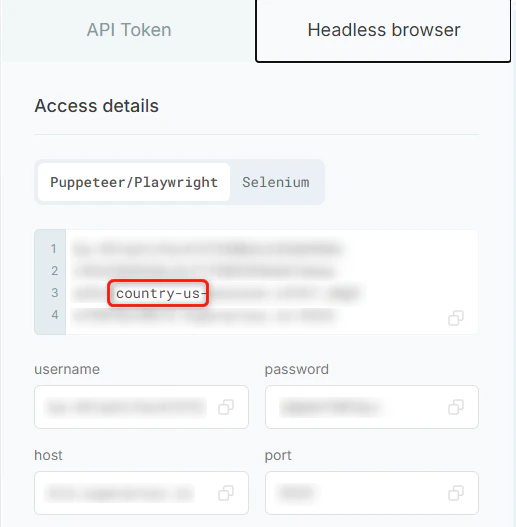
In the **Headless Browser** tab, update the 2-letter country code in the command by replacing `country-us` with your desired country.